An ENET cable is a diagnostic and programming tool for BMW vehicles. It enables communication between the vehicle and a computer or laptop via Ethernet port connectivity. The ENET cable is used with software such as E-Sys, ISTA+, INPA and others to diagnose and program the vehicle systems.
How to Use BMW Rheingold ISTA With ENET Cable
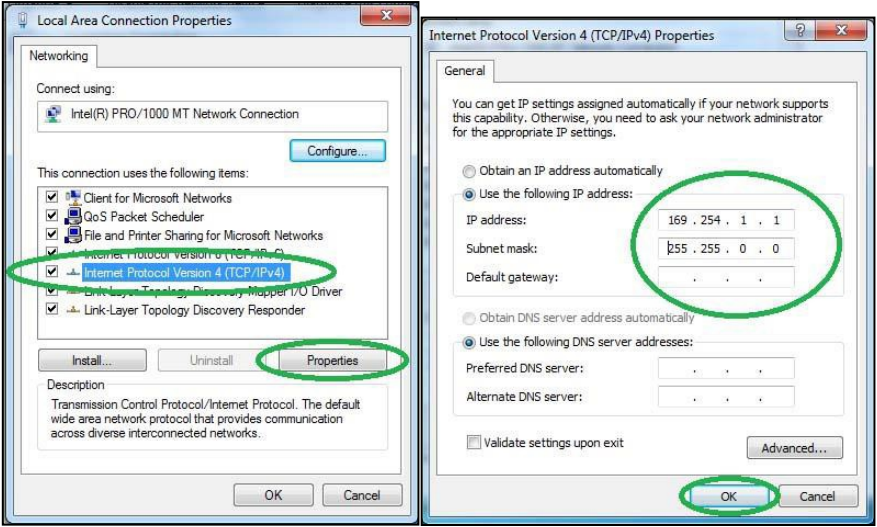
1. Open used for connection network adapter properties, then “Internet Protocol Version 4 (TCP/IPv4)” properties, then enter 169.254.1.1 for “IP address” and 255.255.0.0 for “Subnetmask”.
2. If VMware is installed, open Virtual Network Editor and disconnect from the host any adapters with Subnet Address 169.254.0.0.
3. Connect car with ENET cable to PC, turn ignition on.

4. Now run BMW Rheingold ISTA using shortcut in start menu and wait until it boots, then press settings button.
5. Select “VCI Config” tab and “HO-ICOM/ENET local and ISIS network”, then “OK”.
6. Go “Operations”, then “Read Out Vehicle Data” and “CompleteIdentification”.


7. Select your ENET connection from the list and press “Set up connection”button.


8. Alternatively you could select “HO-ICOM/ENET direct connection” in “VCI Config” tab and “ENET” mode with empty “IP-Address” field during connection setup.


It is important to note that using BMW Rheingold ISTA with an ENET cable requires some technical knowledge and experience. If you want to know more about BMW Diagnostic Tool,please Visit https://www.obd2tool.com
kochzgx80 發表在 痞客邦 留言(0) 人氣()


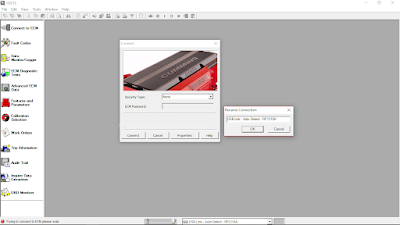
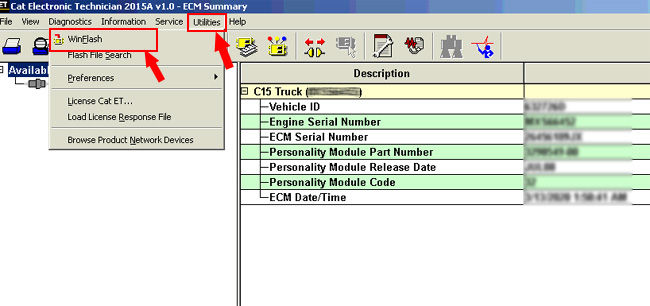
On this page we will inform You how to find out if Your Cat ET has ECM flashing possibility.

kochzgx80 發表在 痞客邦 留言(0) 人氣()


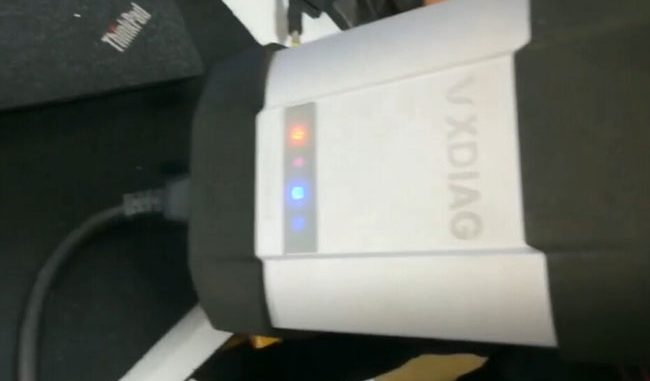
You need to perform a VXDIAG Benz C6 DoIP VCX firmware reset with these scenarios:

kochzgx80 發表在 痞客邦 留言(0) 人氣()

What does JPRO do?

JPRO Professional empowers diesel technicians to diagnose and repair all makes, models, and components. JPRO reduces a technician’s dependency on OEM software by offering industry-leading bi-directional controls, including DPF regens, cylinder cutouts, parameter changes, and much more. For detailed information and full coverage details, visit the JPRO Professional page.

kochzgx80 發表在 痞客邦 留言(0) 人氣()


kochzgx80 發表在 痞客邦 留言(0) 人氣()


If you have an F-Series or G-Series BMW model and you want to do some BMW coding, you will need to use an ENET cable for it. The ENET cable will serve as an adapter for your OBD2 port that will connect your car and your computer via a dedicated software. The most common BMW software paired with the ENET cable is E-sys. In this post, we’re going to discuss how to set up the ENET cable with the E-sys software for BMW coding. System and Hardware Requirements
Before you get things started, make sure that you’ve prepared the following:
1. ENET cable
2. E-sys software with EST token and pin
3. Psdzdata Lite version
4. Laptop with at least Windows 7 OS and 16 GB of available space
5. Coding Cheat Sheet for your vehicle model

kochzgx80 發表在 痞客邦 留言(0) 人氣()


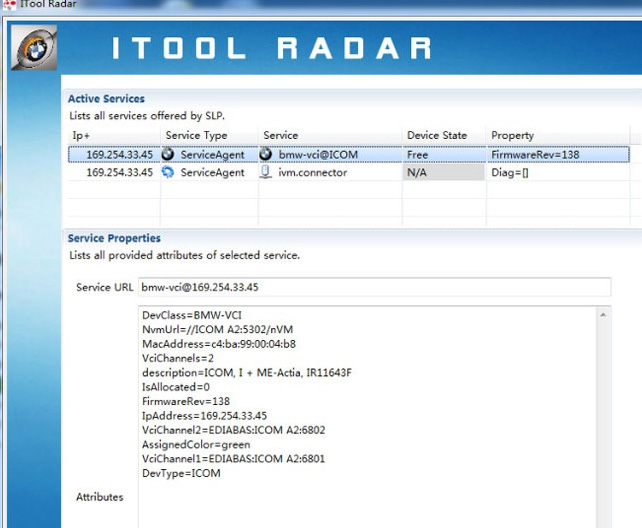
How to Set up BMW ICOM Next WiFi Connection?
1. Run ITool Radar to detect ICOM information

kochzgx80 發表在 痞客邦 留言(0) 人氣()

How-to-Connecting-CUMMINS-Engines-using-Cummins-INSITE-Software-1
How to Connecting CUMMINS Engines using Cummins INSITE Software
Cummins INSITE

kochzgx80 發表在 痞客邦 留言(0) 人氣()

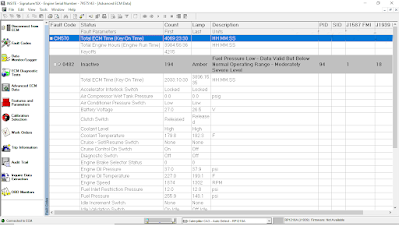
ECM-Time-on-Cummins-INSITE-Software-1
ECM Time on Cummins INSITE Software (CUMMINS Engines)
ECM Time – Engine Hours

kochzgx80 發表在 痞客邦 留言(0) 人氣()

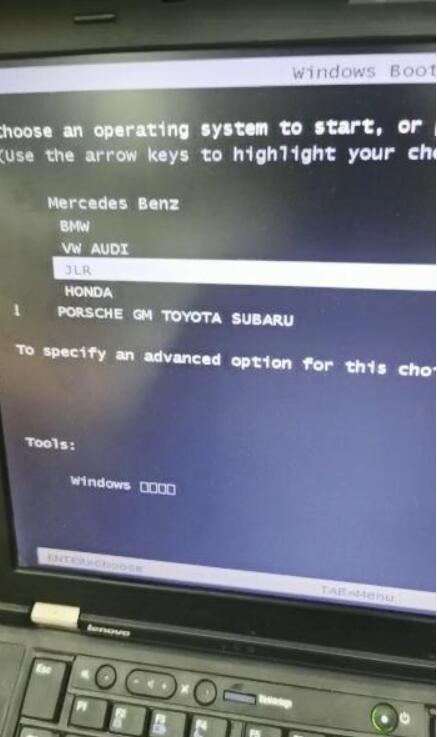
How-to-Get-IDS-Software-into-VMware-1
Question: I bought VCM II and downloaded Ford IDS / Mazda IDS & Ford Mazda Patch. It doesn’t allow me to install both of them together, and neither does the patch work, just a message saying that the IDS cannot be found. How do I get this IDS software in VMware so that I can run both on one PC. I have already installed VMware v6.0.2 with JLR SDD on it.
Obd2tool.com engineer solution:

kochzgx80 發表在 痞客邦 留言(0) 人氣()

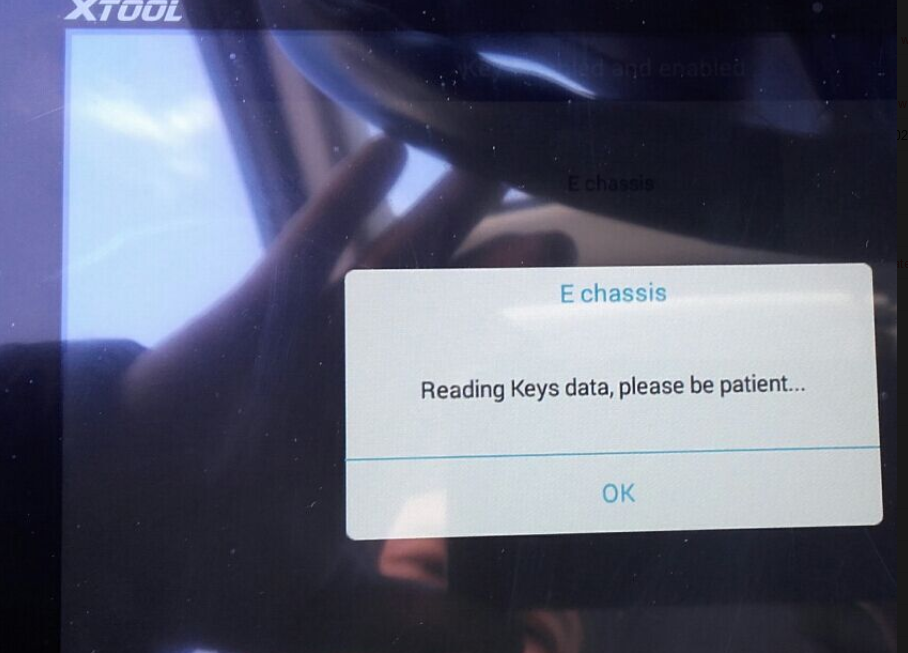
How-to-Solve-XTOOL-PAD2-can-not-do-BMW-Key-programming
Recently have customer got his new xtool x100 pad 2 but he found that the item not work. Used the pad2 to do BMW KEY programming but fail to do that.
How to solve the problem? Let us find out.

kochzgx80 發表在 痞客邦 留言(0) 人氣()


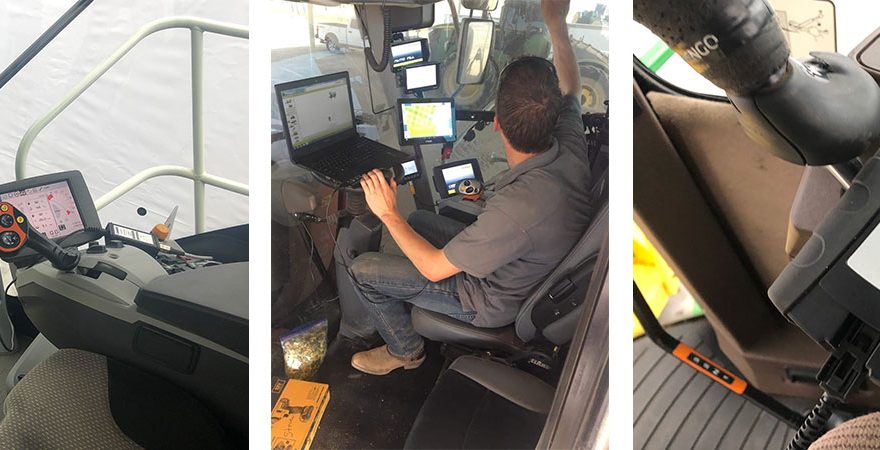
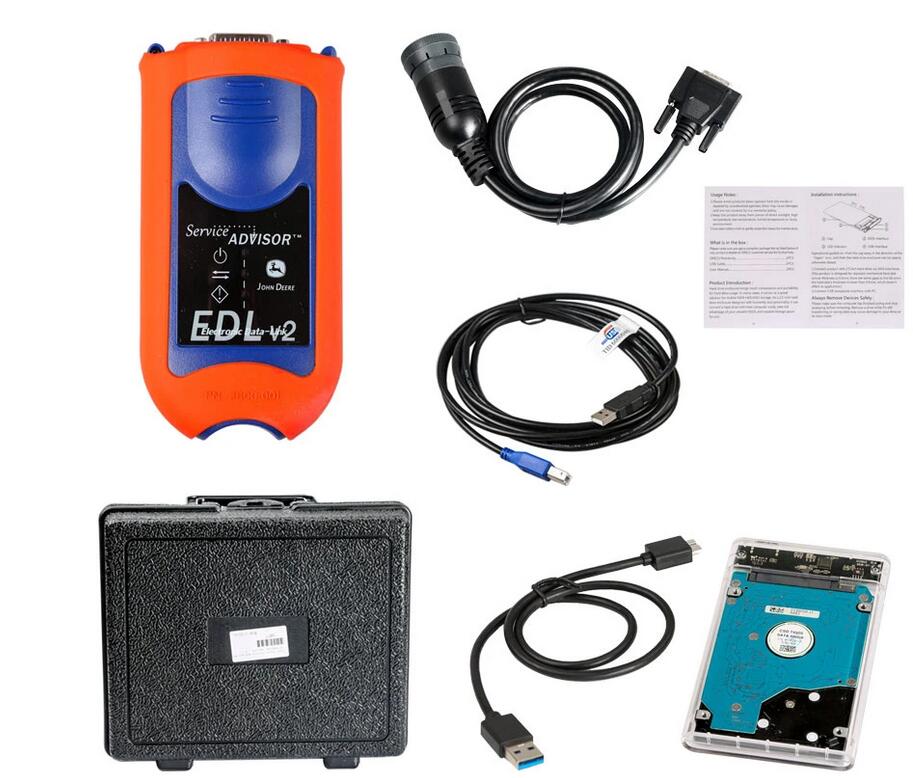
John deere EDL V2 diagnostic kit with Service Advisor EDL V2 V4.2 Software, you can view service manuals, use DTAC (Technical Assistance Center) data, make diagnostics, readings, tests and calibrations, re-program controllers.
John-Deere-EDL-V2-Diagnostic-Kit-User-Manual
John Deere EDL V2 Diagnostic Kit Overview
1. Support Languages: English
2. Software: the software come with the hard disk is John Deere Service Advisor 4.0, supports vehicle till 2016, newer software supports vehicles till 2018, check Service Advisor V5.2
3. HDD comes in default VMware Windows XP system only, supports host machine Win XP, Win 7, Win 8 and Win 10
4. Real test with John deer and 100% work great
5. Two year warranty
6. V4.2 software is multi-language too, support English, French, Spanish, Portuguese & Italian
John Deere EDL V2 Highlight
1. John Deere Service Advisor EDL (Electronic Data Link) heavy duty diagnostic adapter for construction equipment, agriculture, engines For John Deere.
2. John Deere Diagnostic kit includes software For John Deere Service Advisor 4.0 Agriculture or Construction and Forestry version.
3. John Deere Service Advisor 4.0 Agriculture workshop service manual, repair manual, electrical wiring diagram, hydraulic diagram, diagnostic, assembly and disassembly engine, transmission.
4. John Deere AG Management Solutions, Attachments, Backhoes, Combines and Headers, Cotton Harvestings, Excavators, ForkLifts, Hay and Forages, MAte Hand Cut and Shredderses, Plantings and Seedings, Skid Steers, Sprayers, Sugar Cane Harvesters, Tillages, Tractors, Worksite Pro Attachments.
5. John Deere Service Advisor 2.8 CF (Construction and Forestry), workshop service manual, repair manual, diagnostic, electrical wiring diagram, hydraulic diagram For John Deere.
6. John Deere Service Advisor 4.0 CCE (Commercial and Consumer Equipment)dealer technical assistance, diagnostics, connection readings, calibrations, interactive tests, specification, tools, assemble and disassemble presented all models For John Deere Construction Equipment and some models Hitachi, Euclid, Bell and Timberjack.
How To Install Service Advisor 4.0 Drive?
Tips:
4.0AG, 4.0 CCE and 2.8 CF standard software package comes in hard drive (HDD) format, easy to install.
HDD comes in default VMware Windows XP system only, supports host machine Win XP,Win 7,Win 8 and Win 10. (If your computer supports WinXP VMware, it should work).

kochzgx80 發表在 痞客邦 留言(0) 人氣()

1 2 3
Blog Stats
⚠️

成人內容提醒

本部落格內容僅限年滿十八歲者瀏覽。
若您未滿十八歲,請立即離開。

已滿十八歲者,亦請勿將內容提供給未成年人士。